A SquishMark theme is Jinja2 templates plus CSS. The engine ships three; you pick one in config.yml. To change something, you don’t fork the engine: drop a template or stylesheet into your content repo and it wins over the theme’s version.
Picking a theme
Set the theme name in the theme block of your config.yml:
theme:
  name: default
  pygments_style: github-dark
name is the only field you need. The three bundled themes:
default: a clean light/dark blog with a post listing, tags, and archive. It ships no landing page, so / redirects to /posts (more on that below).
blue-tech: a bluish tech look with an inline navbar search input and its own landing page.
terminal: a monospace, terminal-styled theme with a landing page and pixel-art touches.
Click a thumbnail to enlarge:
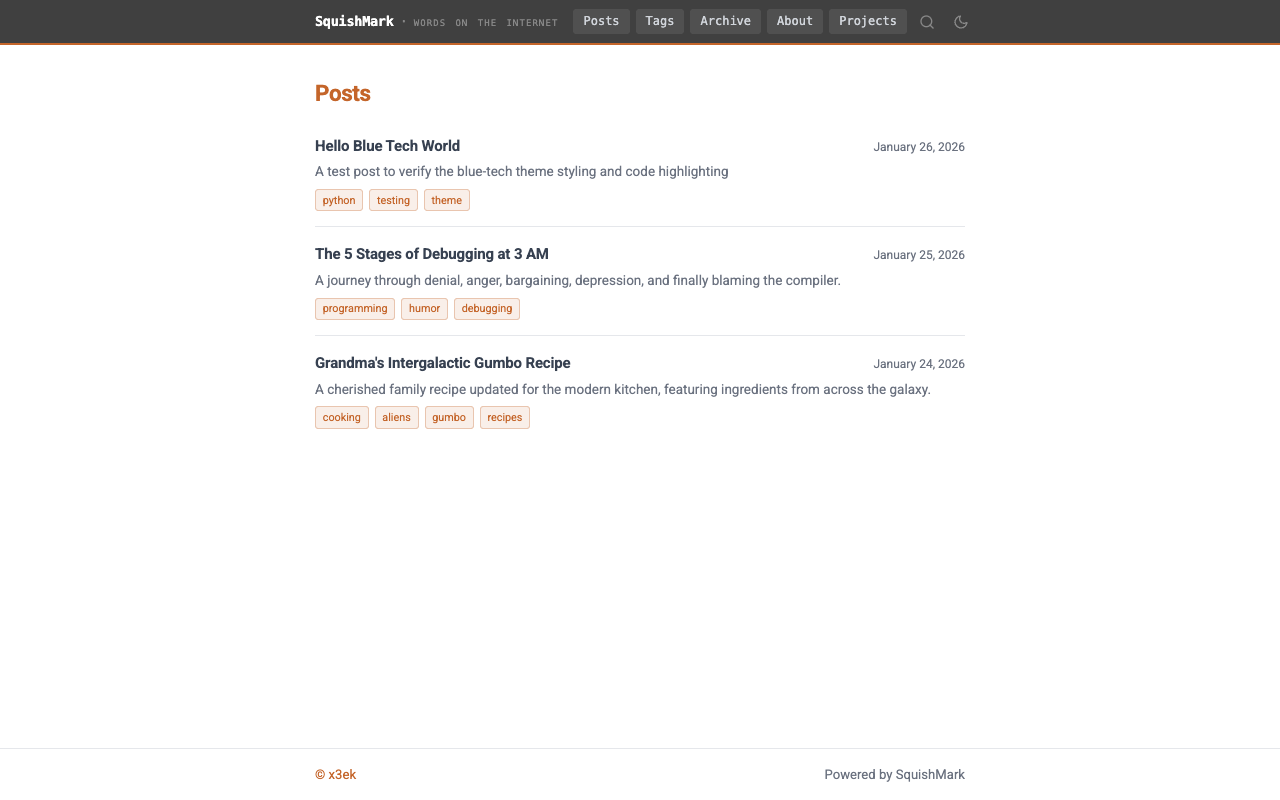
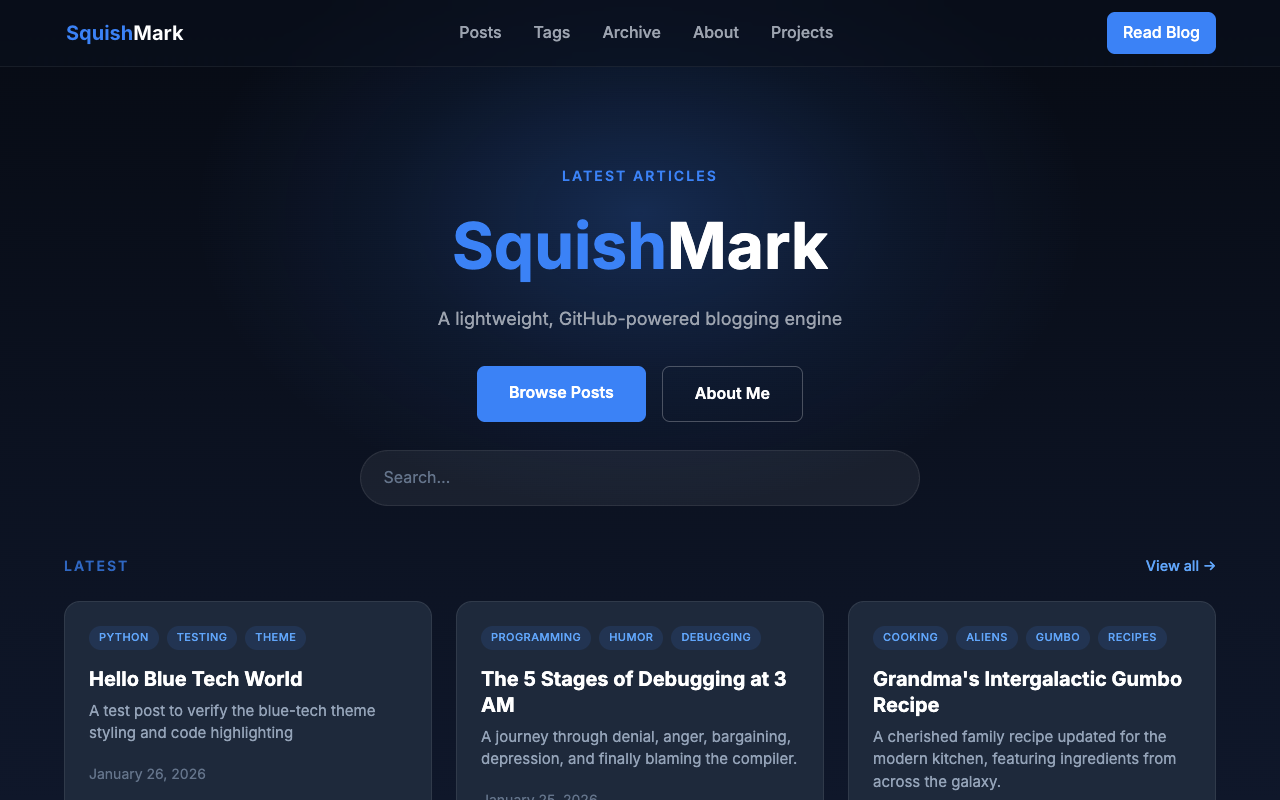
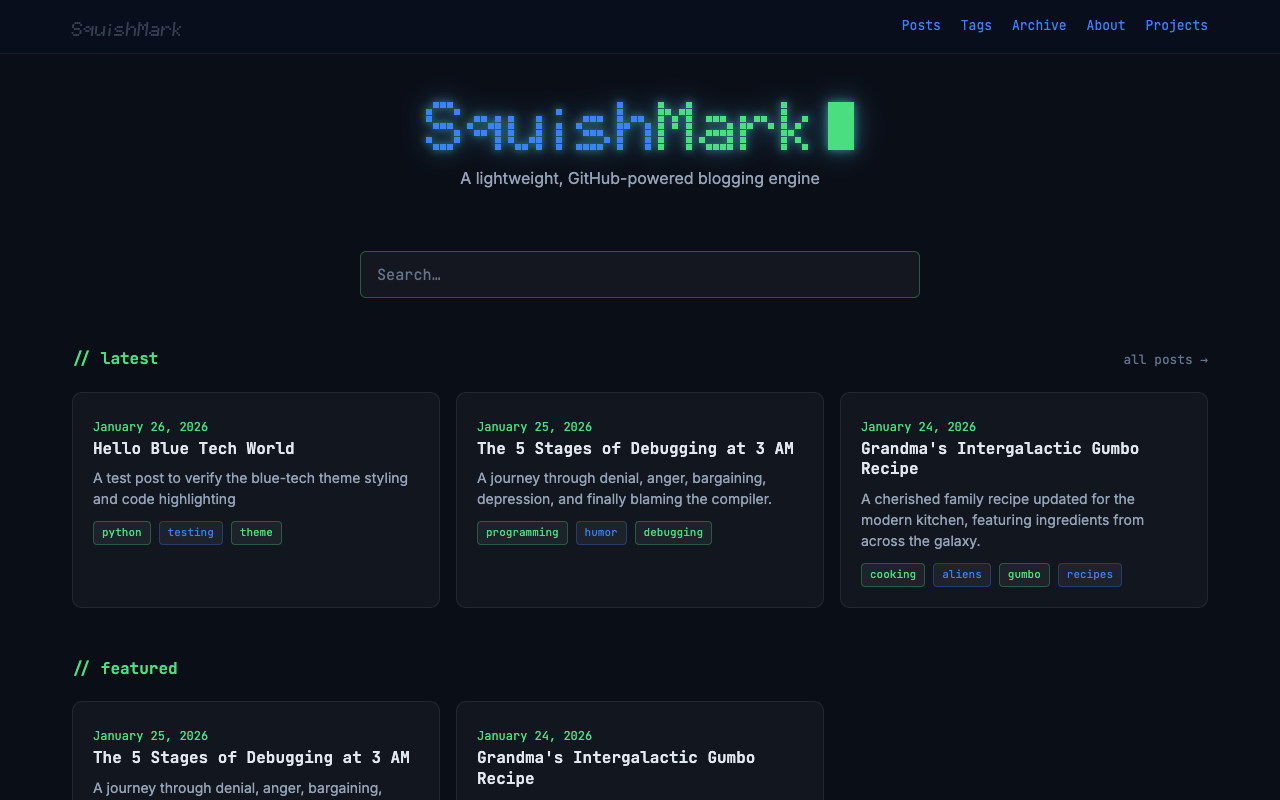
Switch themes by changing name and pushing.
Extra theme fields
ThemeConfig has a few built-in fields beyond name:
| Field | Description |
|---|---|
pygments_style |
Pygments style for code blocks (see Syntax highlighting) |
background |
Background option, theme-specific |
nav_image |
Navigation image path |
hero_image |
Hero section image path |
Any extra key you add under theme: is passed through to your templates as {{ theme.yourkey }}. So this:
theme:
  name: my-theme
  accent_color: "#ff6600"
  show_sidebar: true
lets a template read {{ theme.accent_color }} or branch on {% if theme.show_sidebar %}.
How theme resolution works
When the engine renders a template, it looks in three places, in order, and uses the first match:
- Your content repo’s
/theme/directory. Match by filename. - The current theme,
themes/{name}/. - The default theme,
themes/default/, as a fallback.
Matching is filename-by-filename, not all-or-nothing. A theme ships only the templates it changes; the rest fall through to the default. Your overrides work the same way: a base.html in /theme/ replaces just that file.
Required templates: base.html, index.html, post.html, page.html, 404.html. home.html is optional.
Overriding from your content repo
Put a file under /theme/ in your content repo and it replaces the theme’s version by filename. The layout:
my-content-repo/
├── posts/
├── pages/
├── static/          # your own images, CSS, favicon
├── theme/           # template overrides go here
│   ├── base.html
│   └── home.html
└── config.yml
A typical setup runs the default theme with two overrides: a home.html for the landing page and a base.html that pulls in a CSS skin. Everything else comes from the default theme, untouched.
Skinning with CSS custom properties
The default theme’s CSS uses custom properties (CSS variables) for every color, so the cleanest reskin keeps all the templates and loads one extra stylesheet that redefines those variables. You never touch a template or copy a selector.
Say you’re building an ocean-toned skin, tidepool.css. Your base.html override adds one <link> after the theme’s own stylesheet:
<link rel="stylesheet" href="/static/{{ theme_name }}/style.css">
<link rel="stylesheet" href="{{ pygments_css_url }}">
<link rel="stylesheet" href="/static/user/tidepool.css">
/static/user/... serves your content repo’s static/. Because tidepool.css loads after the theme’s style.css, its equal-specificity rules win. The file can be nothing but variable overrides:
:root {
    --color-bg:           #eef6f6;
    --color-text:         #17313b;
    --color-accent:       #0e7c86;
    --color-link-hover:   #0e7c86;
    /* ...and the rest of the palette */
}

html[data-theme="dark"] {
    --color-bg:           #0b1e24;
    --color-accent:       #4fd6c0;
    /* ...dark palette */
}
Edit those values to recolor the whole site. The theme reads data-theme off <html> for light/dark, so override both the :root block and the html[data-theme="dark"] block. The same file can add net-new rules for markup only your custom templates produce.
Rule of thumb: template override for different HTML, CSS variable override for a different look. Most reskins are the second kind.
Template variables
Every template gets globals, plus extras that depend on the page. site and theme come from your config.yml.
Globals (every template)
| Variable | Description |
|---|---|
site |
Site config: site.title, site.tagline, site.description, site.author, site.url |
theme |
Theme config, including any extra keys you added under theme: |
theme_name |
Active theme name, e.g. "terminal". Use it to build static URLs. |
favicon_url |
Resolved favicon URL, or None |
pygments_css_url |
URL of the active Pygments stylesheet |
nav_pages |
Public pages for the navbar (see Pages in the nav) |
canonical_url |
Canonical URL for the current page, or None when site.url is unset |
featured_posts |
Featured posts, sorted and limited by your config. Always present, may be empty. |
Per-page variables
| Template | Extra variables |
|---|---|
index.html |
posts, pagination, notes |
post.html |
post, notes, plus series context |
page.html |
page, notes |
home.html |
latest_posts (up to 5 most recent), featured_posts |
404.html |
globals only |
Less-obvious post fields:
| Field | Value |
|---|---|
post.html |
rendered post body (yes, the field is named html) |
post.toc |
auto table-of-contents HTML, or "" when there are no headings or toc: false. The three themes render it three ways (inline card, <details> block, floating sidebar); crib whichever fits. |
post.reading_time |
string like "3 min read" |
post.url |
canonical path, /posts/<slug> |
post.series, post.series_order |
drive series grouping |
Series context on post.html: series_posts, series_index, series_total, series_prev, series_next. All five are None when the post isn’t in a series, so guard with {% if post.series %}.
Template blocks
Templates extend base.html and fill in its blocks:
{% extends "base.html" %}

{% block title %}{{ post.title }} - {{ site.title }}{% endblock %}

{% block content %}
  {# page content here #}
{% endblock %}
The default base.html exposes these blocks:
| Block | Purpose |
|---|---|
title |
<title> contents |
description |
meta description |
head |
extra <head> elements (CSS, JS, meta) |
content |
main page body |
Write your own base.html (like this site does) and you decide which blocks exist. This site’s adds Open Graph and Twitter Card blocks (og_title, og_image, twitter_title, etc.) so templates can set social metadata.
Pages in the nav
nav_pages holds your public pages, ordered by their nav_order frontmatter. Loop over it in base.html to build the navbar:
{% for page in nav_pages %}
<a href="{{ page.url }}">{{ page.title }}</a>
{% endfor %}
A page’s visibility frontmatter controls this:
| Value | Behavior |
|---|---|
public |
default; shows in the nav and sitemap |
unlisted |
reachable by URL, but out of the nav and sitemap |
hidden |
off entirely |
That’s why this docs page sets visibility: unlisted.
Filters
Extra Jinja2 filters on top of the built-in ones:
| Filter | What it does |
|---|---|
format_date |
Formats a date. {{ post.date \| format_date }} gives July 4, 2026. Pass a format string to change it: {{ post.date \| format_date("%Y-%m-%d") }}. |
accent_first_word |
Wraps the first word in <span class="accent">. |
accent_last_word |
Wraps the last word in <span class="accent">. |
share_urls |
Builds (platform, url) share-link pairs. |
The accent filters return safe HTML, so no need to mark them safe:
<h1>{{ post.title | accent_last_word }}</h1>
share_urls takes the canonical URL and returns a list you loop over. It’s empty when canonical_url is unset (i.e. site.url isn’t configured), so the loop renders nothing:
{% for platform, url in post | share_urls(canonical_url) %}
<a href="{{ url }}">{{ platform }}</a>
{% endfor %}
There’s also a shared partial you can include instead: {% include "_share.html" %}. Set share_label before the include to change the “Share” label.
Static files
Two URL prefixes serve static files:
| URL | Source |
|---|---|
/static/{theme_name}/{path} |
the theme’s static/ directory |
/static/user/{path} |
your content repo’s static/ directory |
Theme static files fall back to the default theme, same as templates: /static/{{ theme_name }}/style.css finds the current theme’s stylesheet, or the default’s if the current one doesn’t ship it. Reference them like this:
<link rel="stylesheet" href="/static/{{ theme_name }}/style.css">
<img src="/static/user/logo.png" alt="Logo">
Allowed extensions are .ico, .png, .svg, .jpg, .jpeg, .webp, .gif, .css, and .js. Everything is served with a one-day cache header.
A favicon dropped at static/favicon.ico (or .svg, .png) in your content repo is auto-detected and exposed as favicon_url, so you don’t have to wire it up.
Navbar search behavior lives in search.js, which ships with the default theme and reaches every theme through the fallback. Load it with /static/{{ theme_name }}/search.js; override it with your own static/search.js.
Per-post and per-page overrides
Individual posts and pages can override the theme or the template in their frontmatter:
---
title: My Special Post
theme: terminal        # render just this post with the terminal theme
template: custom.html  # use custom.html instead of post.html
toc: false             # skip the auto table of contents
---
template resolves through the same order as everything else, so custom.html can live in your content repo’s /theme/ directory, in the theme, or fall back to the default.
Syntax highlighting
Code blocks are highlighted server-side by Pygments: the HTML arrives already colored, no client-side JavaScript, across 500+ languages. Pick a style in config.yml:
theme:
  name: default
  pygments_style: github-dark
Common styles: monokai, dracula, github-dark, one-dark, gruvbox-dark, nord. The engine resolves the matching stylesheet and hands you its URL as pygments_css_url, so your base.html just needs:
<link rel="stylesheet" href="{{ pygments_css_url }}">
Building a theme rather than skinning one? Generate a stylesheet by hand:
pygmentize -S monokai -f html > themes/my-theme/static/pygments.css
Home page behavior
/ behaves one of two ways, depending on whether a home.html resolves:
- No
home.html:/returns a 302 redirect to/posts. The default theme ships no landing page, so out of the box/goes straight to the post listing. - A
home.htmlexists: it renders as the landing page, withlatest_posts(the five most recent) andfeatured_postsin context.
The check skips the default-theme fallback, so you can give the default theme a landing page by dropping a home.html into your content repo’s /theme/. That’s what this site does: default theme plus a home.html for the hero and card grid, so / renders it instead of redirecting.
A post joins featured_posts when its frontmatter sets featured: true; featured_order controls the sort (lower first).